

Step by Step OnlyFans Registration Tips
OnlyFans registration is straightforward sign up with email or Twitter, verify your age with a valid government ID and real time selfie, complete tax and payout details, then set your subscription price and profile. Enable two factor authentication, upload a profile photo and banner, write a clear bio, and configure privacy (geo-blocks, blocked users). Finish by adding at least three starter posts and a welcome message to convert first subscribers and unlock full creator monetization.
Whether you’re launching as a paid creator or testing a free page, getting OnlyFans registration right sets the tone for earnings, safety, and discoverability. This guide walks you through the entire setup from verification and payouts to pricing, privacy, and growth foundations using real platform mechanics and best practices. If OnlyFans registration is your first step into the adult creator economy or subscription content, consider this your proven roadmap.
Step by Step OnlyFans Registration From Sign Up to First Post
Start with the essentials so your account passes fast verification and unlocks payouts.
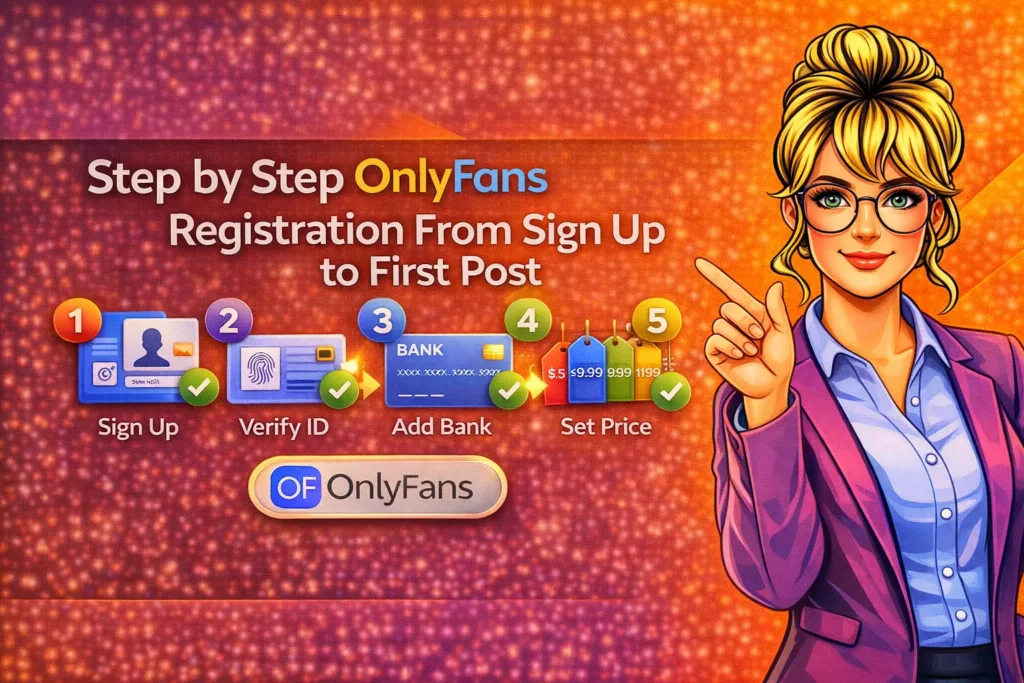
Prepare documents and profile assets before sign-up to streamline approval and setup.
1) Decide Your Account Goal Paid Creator, Free Creator, or Fan Only
Before you touch the form, define your role. If you’re a creator, choose between a paid subscription page or a free page that monetizes with pay-per-view (PPV) messages, paid posts, tips, and bundles. A paid page sets clear value and predictable recurring revenue; a free page can increase reach quickly, then convert with PPV and exclusive content. If you’re joining as a fan only, registration is simpler no tax forms or payouts required.
2) Gather What You Need ID, Selfie, Email, Phone, and Banking Details
OnlyFans will require a valid government issued photo ID that shows your full legal name, date of birth, and a clear, unobstructed photo. You’ll also complete a real-time selfie match during verification. Prepare a creator email you can keep long term, a secure phone number, and payout details (bank account for ACH/SEPA/Faster Payments/SWIFT depending on your country). For taxes, US creators need a W‑9 non US creators submit a W‑8BEN during payout setup.
3) Create Your OnlyFans Login and Enable Security
Sign up with your email or connect via Twitter. Choose a unique username (public URL) and a display name (public facing) that supports your brand. Immediately turn on two factor authentication (2FA) using an authenticator app to protect earnings and messages from account takeovers. Use a long, unique password and store recovery codes offline. Match your contact email to your Stripe/PayPal-free workflow OnlyFans pays you directly via bank methods, not third party processors.
4) Complete Creator Verification ID + Live Selfie
Navigate to Apply for Creator in settings. Submit front and back of your ID where applicable and follow the live selfie prompts. Avoid glare and busy backgrounds, and make sure your face matches the ID photo. Use a legal name that matches your bank to prevent payout delays. Verification typically completes within hours to a couple of days. Link at least one social profile (e.g., X/Twitter, Instagram) to help the compliance team confirm your identity faster.
5) Add Payout and Tax Details
Once approved, open Payout Settings. Enter your bank information and fill your tax form inside OnlyFans (W‑9 for U.S., W‑8BEN for non‑U.S.). Expect a 20% platform fee on gross earnings and a typical 7-day pending period before funds clear to your available balance. You can request withdrawals after reaching the minimum threshold (commonly around $20) and choose automatic or manual payouts. Your bank statement descriptor often references OnlyFans’ parent entity (e.g., Fenix International).
6) Build Your Profile Avatar, Banner, Bio, and Links
Upload a high contrast profile photo that reads well in a small circle, plus a banner that communicates your vibe and content themes. Write a benefit-driven bio highlight what subscribers get, how often you post, and how to request custom content if permitted. Keep the tone consistent with your brand and the adult creator economy norms if you produce adult content. Add links to your socials and Link in Bio hub to support cross platform conversion and community growth.
7) Set Subscription Price, Trials, and Bundles
For paid pages, start with a competitive price most new creators use often $9.99-$14.99/month then test upward as engagement grows. Enable limited-time discounts, free trials (e.g., 7-14 days), and multi month bundles (3, 6, 12 months) to improve upfront cash flow and retention. If you choose a free page, plan PPV pricing for premium content and set a compelling paid tier for subscribers who want more. Always check current platform limits on price caps before setting offers.
8) Configure Content Settings, Vault, and Welcome DM
Upload 5-10 starter posts before promoting. Use the media Vault to organize photos and videos, and streamline PPV packaging later. Turn on watermarks to discourage reuploads. Create a friendly welcome message that sends automatically to new subscribers or followers, optionally including a small paid bundle for early monetization. Segment your audience with Lists (e.g., VIPs, PPV buyers, high tippers) to personalize mass messages, reward loyalty, and improve conversion on premium offers and fan subscriptions.
9) Set Privacy, Safety, and Geo-Blocks
If anonymity matters, enable country or state geo-blocks where you don’t want to be discoverable. Block known accounts and keywords as needed. Avoid posting identifiable information (street views, license plates, workplace details). Separate creator email and phone from personal accounts. Remember that screenshots and screen recordings can still happen watermarks and DMCA takedowns help, but assume content may circulate. Safety-conscious creators also refrain from posting real-time location or patterns that reveal schedules.
10) Review Compliance and Collaborator Rules
OnlyFans strictly prohibits minors and requires that all participants in your content be verified adults. Use the collaborator tagging and consent workflow when appearing with others. U.S. creators should maintain 18 U.S.C. 2257 records. Avoid banned content categories and follow payment rules to prevent chargebacks and account sanctions. If you create adult content, treat compliance as part of your production routine track IDs, keep consent forms, and make sure metadata and captions align with platform guidelines.
Monetization Setup Tips Right After Registration
Lock in revenue fundamentals early to avoid churn and underpricing your premium content.
Use layered monetization subs, PPV, tips, customs to diversify OnlyFans earnings safely.
Use a Dual Page Strategy When Starting From Zero
A proven pattern is running a free page for audience building and a paid page for your superfans. The free page teases value, funnels warm traffic, and sells PPV highlights. The paid page delivers full series, weekly sets, and community perks. Cross promote discreetly, keep content differentiated, and segment your mass messages so your top supporters receive extra attention. This approach balances reach with reliable subscription revenue typical of paywall platforms.
Price PPV to Match Perceived Value
PPV pricing should reflect exclusivity, duration, and production effort. Start modestly to drive volume, then increase prices for consistent buyers. Bundle PPV sets or series for higher average order values. If your monthly subscription is mid-tier, position PPV as premium upgrades. Use scarcity limited time offers or expiring packages to trigger action. Make sure your previews are honest and specific so fans trust that what they unlock matches the description every time.
Create a Welcome Funnel
Send a warm welcome DM with a pinned PPV bundle, a short survey to segment interests, and a reminder of posting cadence. Offer a first 24 48 hour discount to capture the subscription unlock moment, when motivation is highest. Add a public pinned post explaining what subscribers get weekly. This simple funnel can improve day one revenue, lower refund requests, and set expectations that reduce churn on fan subscriptions over the first 30 days.
Marketing Foundations to Build During Registration
OnlyFans discovery is limited, so your off-platform traffic plan matters from day one.
Own a branded bio link and safe-for-work teasers to protect reach across social apps.
Set up Your Funnel Assets
Reserve @handles across socials, build a link in bio hub, and draft SFW teaser clips that won’t trigger moderation. Your brand should feel consistent the same color palette, voice, and promise across platforms. If you’re an adult creator, maintain a PG-13 top of funnel where needed and drive to OnlyFans via compliant landing pages. This protects your accounts and keeps both casual browsers and qualified buyers moving smoothly toward premium content and subscriptions.
Choose Two Primary Traffic Channels
Don’t try to be everywhere at once. For most OnlyFans creators, X/Twitter and Reddit convert well due to adult tolerant communities and searchability. Instagram and TikTok can work for SFW branding with careful captioning and safe linking. Track where subscribers actually originate use UTM links or unique trial codes per platform. Once you know your highest-value channel, deepen that well with regular posting, AMA threads, and collaborations that fit your niche.
Design Weekly Promos Without Burning Out
Use a simple calendar 2-3 teaser posts per week on primary socials, one collab or shoutout swap every two weeks, and a monthly limited time discount on OnlyFans. Prepare reusable templates for captions and image borders to speed production. Batch create content, then schedule. This consistency creates predictable payment pings as fans discover you, and it feeds the premium content pipeline without leaving you stuck creating last-minute material under pressure.
Smart Pricing Strategy for New OnlyFans Creators
Price communicates positioning avoid being the cheapest unless that’s your strategy.
Use experiments adjust subscriptions and PPV in small steps, then review retention.
Start Mid and Test Up or Down
For creators entering the market, start around $9.99-$14.99/month if you post at least 3-4 times weekly, with weekly or biweekly full sets. If churn is low and DM demand is high, test $15.99-$19.99. If growth is slow, try a limited trial or temporary price reduction paired with more PPV. Remember that price changes affect perceived value explain updates and add perks (e.g., exclusive livestream access) to justify increases on premium content tiers.
Use Bundles for Upfront Cash Flow
Offer 3, 6, and 12 month bundles at escalating discounts (e.g., 10%, 20%, 30%). Bundles smooth revenue and reduce churn, especially when combined with a welcome PPV deal. Track refund/chargeback risk by avoiding extreme discounts that attract low intent buyers. When a bundle is purchased, follow with a thank you message and a VIP list tag to segment future offers. Fans who prepay often become reliable PPV buyers and high tippers.
Align PPV with Your Subscription Promise
If your page promises everything behind the paywall, avoid aggressive PPV upsells that frustrate subscribers. Instead, position PPV as specialty content: customs, longer scenes, behind-the-scenes, or themed series. If your subscription tier is leaner, make PPV the main upgrade path, but ensure frequent value on the base page to keep fans engaged. Clear positioning keeps trust high and supports long-term OnlyFans earnings in a subscription-first model.
Verification Problems and Troubleshooting
Most verification delays are caused by ID quality issues or name mismatches.
Clean lighting, matching details, and patience usually get you approved quickly.
Common Issues and Quick Fixes
If your application stalls, check for glare, cropping, or expired IDs. Re capture photos against a plain background with even lighting. Ensure your legal name matches your tax and bank info exactly. If you changed your name recently, upload supporting documents. Link at least one active social with matching branding. Avoid VPNs during verification to reduce flags. If rejected, read the message carefully; OnlyFans support typically explains what needs to be corrected.
Payout and Tax Validation Errors
For US creators, W‑9 details must match your SSN/EIN registration. For non‑US creators, W‑8BEN must include your foreign tax ID if required by your jurisdiction. Bank errors often stem from wrong account type (checking vs. savings), IBAN/SWIFT typos, or using nicknames instead of legal names. If your bank supports multiple routing formats, confirm the correct one for ACH/SEPA/SWIFT. After updates, allow time for re-validation before attempting another withdrawal.
Legal, Taxes, and Payouts What New Creators Must Know
Respect the rules no minors, keep records, and follow your local tax obligations.
Expect a platform fee, a payout hold, and routine earnings reconciliations each cycle.
Age, ID, and Content Compliance
You must be 18+ with a valid government ID. If other adults appear with you, use collaborator tools and collect consent documents. U.S. creators should maintain 2257 records. Avoid prohibited categories listed by OnlyFans, and keep your posting schedule aligned with community guidelines. When in doubt, omit questionable material and consult policies. Compliance is part of your brand protection losing your paywall erases months of fan subscriptions and premium content momentum.
Payout Mechanics and Fees
OnlyFans takes a 20% fee from your gross earnings you keep 80%. Sales often sit in a pending state for about a week before moving to your available balance. Minimum payouts and bank transfer speeds vary by region, with ACH/SEPA/Faster Payments often arriving faster than SWIFT. Chargebacks and voided transactions reduce your cleared balance and can trigger compliance reviews. Keep backup funds for production costs in case a payout lands later than expected.
Taxes and Recordkeeping
OnlyFans is not your employer; you’re responsible for tax filings. U.S. creators typically receive a 1099‑NEC if they cross the reporting threshold. Track revenue, expenses (gear, props, editing software, marketing), and mileage if applicable. Non‑U.S. creators must follow local tax laws and may have obligations on worldwide income. OnlyFans collects applicable VAT from fans in many regions, but you should still consult a tax professional for your situation and entity setup decisions.
Safety and Privacy Best Practices for Creators
Your safety protocol is part of your business build it into daily workflows.
Protect identity, manage boundaries, and plan for takedowns if leaks occur.
Protect Your Identity and Devices
Use 2FA and unique passwords everywhere. Consider a separate phone and email for creator work. Avoid posting exact locations or routine patterns. Strip EXIF metadata from photos and videos using your editor. Enable OnlyFans watermarking and monitor reuploads use DMCA takedown services or send notices yourself. If anonymity is critical, use geoblocks, alter backgrounds, and avoid revealing tattoos or landmarks. Document boundaries in your bio so fans know what is and isn’t available.
Manage Fans and DMs Professionally
Set a response window (e.g., within 24 hours on weekdays) to prevent burnout. Use quick reply templates to handle pricing, customs, and scheduling. Maintain conversation notes so repeat fans feel recognized. If harassment occurs, block and document don’t escalate arguments in public posts. Consider turning off read receipts on certain channels if it reduces pressure. Remember consistency and boundaries protect your mental health and support steady OnlyFans marketing output.
Quick Start Checklist for OnlyFans Registration
Use this list to move from zero to a fully functioning, monetized creator page fast.
Check off each item to minimize delays and convert first-time visitors into subscribers.
- Choose account type free page, paid page, or both (funnel strategy).
- Prepare legal ID, selfie, bank info, and tax details (W‑9 or W‑8BEN).
- Create login, set 2FA, pick brand-safe username and display name.
- Complete verification with clear photos and matching legal details.
- Set payout preferences confirm routing/IBAN/SWIFT accuracy.
- Upload profile photo, banner, and benefit-driven bio with posting cadence.
- Set subscription price, trial offers, and 3/6/12‑month bundles.
- Enable watermark organize starter content in Vault; post 5-10 items.
- Create a welcome DM with a new-subscriber PPV bundle or perk.
- Configure privacy geo-blocks, blocked users, and safe link-in-bio.
- Draft weekly content and promo schedule across two primary social channels.
- Document compliance collaborator consent, IDs, and 2257 (if applicable).
- Track traffic with unique trial links or UTMs to identify best-performing platforms.
FAQs OnlyFans Registration, Verification, and First Earnings
Clear answers help you move faster and avoid the most common registration mistakes.
Use these concise explanations to set expectations for approval, pricing, and payouts.
How long does OnlyFans verification take?
Most applications are reviewed within a few hours to two business days. You can reduce delays by using a high-quality ID photo, a glare-free live selfie, and matching legal details across your profile, tax form, and bank account. Linking an active social profile with consistent branding can also help compliance verify faster.
Do I need to show my face to get verified?
Yes. OnlyFans requires a real-time selfie that matches your government ID for age and identity verification. If you want to be anonymous to your audience later, you can still use geo-blocks, careful framing, and branding strategies, but the platform must verify you privately before you can earn.
Is OnlyFans free to join for creators?
Registration is free. OnlyFans takes a 20% fee on your earnings from subscriptions, PPV, tips, and paid posts. There’s usually a pending period before funds become available for payout. You don’t pay upfront to list your page, but you are responsible for your own taxes and business expenses.
What subscription price should I start with?
New creators commonly start between $9.99 and $14.99/month, then adjust after 30-60 days based on demand and churn. Run limited trials, bundles, and PPV tests to see how your audience values different formats. Keep your positioning consistent: subscription covers core content; PPV covers specialty premium content.
Can I register without linking social media?
You can, but linking at least one social profile with consistent branding can speed verification and helps with trust once you start marketing. If privacy is a concern, create new creator-specific socials and keep them separate from your personal accounts while still providing legitimacy signals to fans and the platform.
How do OnlyFans payouts work?
After sales clear the pending period, you can withdraw to your bank via methods like ACH/SEPA/Faster Payments/SWIFT depending on your country. Set automatic or manual payouts in settings. Minimum thresholds and speeds vary by region and bank. Expect a 20% platform fee and plan for potential chargebacks and transaction reversals.
Can I switch from a free page to paid later?
Yes. Many creators start free to build audience and then introduce a paid tier once they have consistent demand. Communicate changes clearly, add new value (e.g., full series, live shows, or exclusive sets), and use discounts and bundles to ease the transition for existing followers who upgrade to subscriptions.
Final Thoughts Make Registration the Start of a System
Treat OnlyFans registration as the launch of a repeatable system: verification and payouts, then a profile and pricing structure that set expectations, followed by a reliable content and marketing cadence. With layered monetization, clear compliance, and a practical safety plan, you’ll convert curious followers into paying fans, protect your brand, and build sustainable OnlyFans earnings in the modern creator economy.