

How to Link Bank Account to OnlyFans Securely
To link your bank account to OnlyFans securely, verify your identity and tax details first, then enable two factor authentication. In Settings > Payouts, choose your region’s method (ACH/SEPA/SWIFT), enter the exact bank name on file, and add IBAN/routing/account/SWIFT as prompted. Confirm the setup, set an auto payout schedule, and test with a small withdrawal. Always use only the official OnlyFans domain over HTTPS, avoid public Wi‑Fi, and never share banking logins or one‑time codes.
New creators only realize how critical banking is when that first fan subscription lands and the payment badge lights up. Linking your bank account to OnlyFans securely is the anchor that converts tips, PPV sales, and monthly subscriptions into real OnlyFans earnings you can use. This guide explains exactly how to connect your payout method, reduce payout risk, and protect your identity step by step so you can monetize premium content with confidence on a modern paywall platform.
Whether you’re a first-time creator or moving from another subscription platform, we’ll cover verification, region specific banking fields (ACH, SEPA, SWIFT, Paxum), auto-payout timing, common errors, and security best practices. We’ll also answer the most searched questions from Google’s People Also Ask and creator forums, and show you how this setup supports better OnlyFans marketing and long term growth. If you came here to learn how to link bank account to OnlyFans securely, you’re in the right place.
What You Need Before You Link Your Bank Account
A complete profile and identity check unlocks payouts and reduces compliance holds.
Prepare your documents and security settings so your payout method is approved fast.
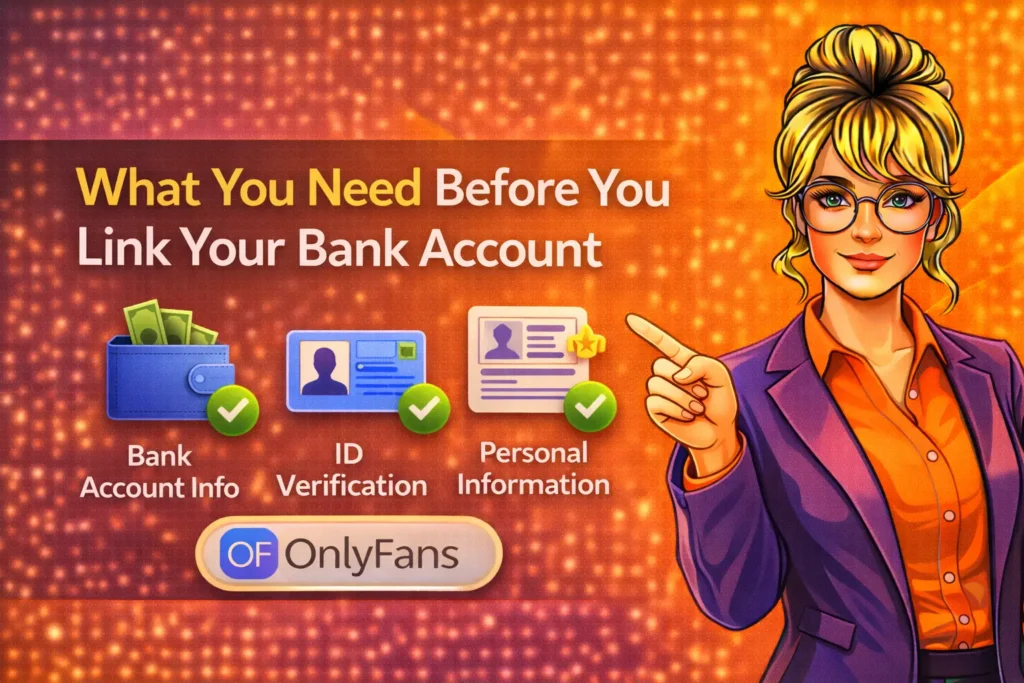
OnlyFans treats payouts like any financial service creators must pass KYC (Know Your Customer) checks and provide tax information before adding a banking method. This is non negotiable and protects both you and the platform from fraud and chargeback abuse. Completing these steps early prevents your earnings from sitting in a pending status and compresses the time to your first withdrawal, especially important during launch weeks or paid campaign pushes.
Gather a government-issued ID, a selfie for liveness verification, and a matching full legal name. If you’re in the U.S., have your SSN/ITIN ready for a W‑9 non‑U.S. creators will complete a W‑8BEN. Your legal name must match your bank records exactly no stage names here. Double check your date of birth and address, since minor typos can trigger a compliance review and delay payouts even when your content is performing well.
Before you touch payouts, enable two‑factor authentication (2FA) and secure your email address used for OnlyFans. Attackers frequently target creator accounts with phishing emails that look real. Strong password hygiene and 2FA protect your payout dashboard, reduce the risk of changes you didn’t authorize, and are the baseline of a safe creator tech stack. Think of it as installing a lock before depositing your first dollars.
Step‑by‑Step How to Link Bank Account to OnlyFans Securely
Go slowly, verify each field, and use the exact name from your bank statement.
Stay on the official OnlyFans domain and enable 2FA before adding banking data.
OnlyFans’ payout setup lives under your account’s Settings area. The exact menu labels vary slightly by region and UI updates, but the flow is consistent verify identity, add tax form, then add payout method. You’ll select a banking rail (ACH/SEPA/SWIFT) or an approved e wallet like Paxum for eligible countries. Follow the prompts carefully incomplete or mismatched information is the top reason for payout rejections or compliance holds during the first week of monetization.
Preparation Checklist
Before opening the Payouts tab, lock in your security basics so you don’t pause mid setup hunting for codes or documents. This also minimizes the window where sensitive information is on screen, keeping you focused on clean, accurate entry and immediate logout after saving settings. Use this quick checklist while your notifications are muted and you’re connected to a trusted network.
- Use a strong, unique password and enable app-based 2FA (avoid SMS if possible).
- Confirm the email on your OnlyFans account is secured by 2FA as well.
- Have your government ID, legal name, and address (exactly as on your bank account).
- Know your banking details US (routing + account), EU/UK (IBAN + BIC), International (SWIFT + account).
- Complete your W‑9 (US) or W‑8BEN (non‑US) tax form inside OnlyFans.
- Close unrelated tabs, and verify the URL is onlyfans.com over HTTPS before entering data.
Add Your Payout Method Regional Steps
The inputs shown depend on your country and supported payment rails. Match your account’s currency and region to what your bank and OnlyFans support to prevent conversion surprises or rejections. If your country is not serviced by direct bank transfer, OnlyFans may allow an e wallet like Paxum verify eligibility in the Payouts screen before proceeding.
United States (ACH Bank Transfer)
In Settings > Payouts, choose Bank Transfer (ACH). Enter your full legal name exactly as it appears on your bank account, followed by your routing number (9 digits) and account number. Select the correct account type (checking or savings). Review for typos; a single digit off will bounce funds and can add several days of delays. ACH typically has low or no incoming fees, and payouts arrive 1–3 business days after release from your OnlyFans balance.
European Union + UK (SEPA/Faster Payments via IBAN)
Select Bank Transfer (SEPA/UK). Provide your IBAN and, if requested, your BIC/SWIFT. Ensure your beneficiary name matches your bank’s records precisely including middle names or diacritics where used to pass compliance. SEPA transfers often land the next business day, while UK Faster Payments can clear within hours after OnlyFans releases funds. Fees are usually minimal domestically cross currency conversions, if any, depend on your bank’s rate.
International (SWIFT wire)
For countries outside ACH/SEPA, choose International Bank Transfer (SWIFT). You’ll enter your account number, the bank’s SWIFT/BIC, bank address, and sometimes intermediary bank details. SWIFT wires can incur intermediary and receiving bank fees expect 2-5 business days for arrival depending on corridors. If your local bank often rejects incoming wires from digital platforms, call ahead to confirm acceptance of transfers from OnlyFans’ payment partner.
Paxum (Supported Countries)
When available, Paxum allows creators in certain regions to receive funds to an e wallet, then transfer to their bank. In Payouts, select Paxum and enter your registered Paxum email or account ID. Confirm that your Paxum name matches your OnlyFans legal name to avoid holds. This method can be faster for some corridors and is widely used by adult creator economy professionals, but it may add a second hop (and fee) before reaching your bank.
Confirm, Test, and Set Auto Payouts
After saving your payout method, OnlyFans may require an email confirmation or 2FA confirmation before the method is active. Once approved, perform a controlled test: allow a small amount to clear from your pending balance, then initiate a manual withdrawal (or wait for a scheduled auto payout) to confirm your bank receives funds as expected. Monitoring this first transfer helps you catch naming mismatches, currency conversions, or unexpected fees early.
Enable autopayouts (daily, weekly, or monthly) once you trust the flow. Weekly is a good balance between liquidity and operational stability, especially for creators running paid promos. Set a minimum payout threshold so micro withdrawals don’t trigger unnecessary banking fees. If you anticipate a major campaign surge, you can adjust frequency temporarily to manage cash flow without compromising security.
Security Best Practices When Linking Banking to OnlyFans
Security hygiene protects your income, identity, and community reputation simultaneously.
Threats target creators because payout settings can be exploited in minutes if exposed.
Most payout issues aren’t technical they’re security lapses. Treat your OnlyFans payout page like an online bank. Use a password manager to generate a long, unique password and enable app based 2FA (TOTP) rather than SMS, which is vulnerable to SIM swaps. Log in only from trusted devices you control. When you’re finished, log out and clear any screenshots or screen recordings that incidentally captured sensitive fields on your dashboard.
Avoid public Wi‑Fi when adding or editing banking data. If you absolutely must connect in transit, use a trusted VPN and a personal hotspot fallback. Always confirm the URL is onlyfans.com over HTTPS double check the lock icon and certificate. Phishing pages often differ by a single character or subdomain. OnlyFans will never ask for your bank login credentials or full one time codes via email or DM. If in doubt, open a fresh browser tab and navigate directly.
Separate your operational identity from your public persona. Your stage name can remain fully public facing while your legal name stays inside OnlyFans’ verification and payout systems. Use a dedicated business email solely for platform logins and payouts, and restrict who has access. If you work with assistants, do not share your master login; create managed workflows that keep banking permissions limited to you, the account owner.
Choosing the Right Payout Method: ACH vs SEPA vs SWIFT vs Paxum
Pick the route that matches your region, fees tolerance, and cash flow cadence.
Understand transfer times and intermediary fees to protect your OnlyFans earnings.
Not all payout rails are equal. ACH (US) is typically the cheapest and reliable for domestic creators, clearing in 1-3 business days. SEPA and UK Faster Payments are fast and low cost in Europe and the UK. SWIFT wires are global but can be slower and carry intermediary banking fees, which can eat into micro withdrawals. Paxum can be efficient for certain countries and industries but introduces an extra step before funds hit your bank.
Consider your monthly revenue and withdrawal pattern. If you’re building from free OnlyFans accounts to paid fan subscriptions, you may start with smaller amounts avoid SWIFT until you’re clearing consistent payouts that justify fees. Once your subscriber base stabilizes, weekly or biweekly withdrawals often balance fee efficiency and risk management. If you sell high ticket PPV bundles, timing payouts right after sales spikes can improve cash flow for reinvesting in OnlyFans marketing.
Ask your bank about incoming international fee schedules and conversion rates. OnlyFans primarily settles in USD if your account’s currency differs, your bank may convert at its own rate. Sometimes opening a currency account that matches your typical payouts lowers friction. Keep screenshots of your payout settings and bank statements for the first three transfers in case you need to dispute an intermediary fee or prove receipt timing during support escalations.
Payout Timing, Holds, Fees, and Auto-Withdrawals
Know when funds clear and how auto-withdrawals sync with your posting schedule.
Understanding platform fees and bank charges ensures no surprises on payday.
Earnings on OnlyFans typically move from pending to available after a rolling clearance period, commonly around 7-8 days depending on region and risk controls. This means a tip you receive today won’t be withdrawable immediately, so plan content drops and promo campaigns with that lag in mind. Once available, you can request a manual payout or rely on auto withdrawals according to your chosen frequency and minimum threshold settings.
OnlyFans takes a 20% platform fee before your revenue reaches your balance; this is separate from any banking fees. Domestic transfers like ACH or SEPA are usually fee-light, while SWIFT wires may involve intermediary charges. If fees appear unusually high, contact your bank to understand their breakdown. Keep a simple tracking spreadsheet: date earnings cleared, date payout initiated, date funds received, and any fees. This log is helpful during audits or tax filing season.
Auto withdrawals are convenient but not set and forget. Align them with your posting cadence and campaign calendar. Weekly withdrawals work well for creators who post daily and run ongoing promotions, while monthly may suit larger creators with predictable recurring subscription revenue. If you expect refunds or chargebacks after a major sale, a short pause before auto-withdrawal can simplify reconciliation just remember to re-enable it once the window passes.
Taxes and Compliance for OnlyFans Creators
Get your forms right early to avoid payout interruptions or year‑end headaches.
Accurate tax data also improves trust signals for payment partners and banks.
During verification, U.S. creators complete a W‑9 with SSN or EIN non‑U.S. creators submit a W‑8BEN to certify foreign status. At year end, U.S. creators typically receive a 1099‑NEC if they meet the reporting threshold, while non‑U.S. creators may receive a 1042‑S if applicable. OnlyFans’ payout entity and partner banks operate under strict AML/KYC rules; mismatched names or unverifiable addresses can trigger payout holds until corrected.
Keep personal and creator finances organized. Track gross revenue, platform fees, banking fees, refunds, and chargebacks. Save invoices for marketing spends, equipment, and production costs many are deductible depending on your jurisdiction. If you’re scaling quickly, consider registering a business and opening a dedicated business account to keep records clean, even if OnlyFans currently pays out to your personal name. Always consult a qualified tax professional in your country.
Finally, remember privacy. Your stage name shields your public identity, but your legal name is required for tax and payout compliance and isn’t displayed to fans. Keep copies of your ID, tax forms, and payout confirmations in encrypted storage. If you change your legal name, address, or banking, update OnlyFans promptly to prevent a compliance mismatch from freezing your next withdrawal during a busy campaign.
Troubleshooting Common Payout Errors and Fast Fixes
Most payout failures come from typos, name mismatches, or unsupported banks.
Resolve issues methodically and keep documentation for support escalation.
Name Mismatch or Rejected by Compliance
If your payout is rejected due to a name mismatch, compare your bank statement and your OnlyFans verified name letter for letter. Fix accents, hyphens, or middle names. Re‑upload ID if your legal name has changed. For corporate accounts, OnlyFans generally requires payouts to match the verified individual; if you need a business payout, check eligibility and documentation requirements before attempting.
Invalid routing, IBAN, or SWIFT Details
Use your bank’s official tools to validate your IBAN/BIC or routing number. For US accounts, confirm whether your routing number accepts ACH credits (some banks have separate numbers for wires). For SWIFT, confirm the exact branch address and intermediary fields if your bank requires them. If you’re unsure, call your bank’s support and ask for incoming international transfer details for credits from corporate platforms.
Bank Blocks Transfers from Adult Platforms
Some banks restrict transfers from adult creator economy platforms. If a payout bounces without clear reason, contact your bank and ask if transactions from OnlyFans’ payment partner are allowed. If not, consider opening an account with a bank that accepts payouts from paywall platforms. Keep everything legal and transparent attempting to mask transaction sources can trigger further compliance reviews and longer delays.
Payout Pending Longer than Expected
First payouts can take longer due to additional checks. Confirm your tax form is on file, identity is approved, and your bank details are correct. Review your recent earnings for refunds or chargebacks that may affect the cleared balance. If everything looks clean and 10+ business days have passed since the payout request, gather proofs (screenshots, timestamps) and contact OnlyFans support with a concise timeline of events.
Auto Payout didn’t Trigger
Verify your schedule and minimum threshold. If your available balance was below the threshold at the scheduled time, the auto-withdrawal won’t run. Also check whether you recently edited payout details some changes temporarily pause auto payouts pending confirmation. Once confirmed and the balance is sufficient, the next cycle will resume normally. If not, toggle auto payout off/on and recheck at the next scheduled time.
Privacy, Branding, and Professional Separation
Your legal name lives in banking your stage name lives in your content and marketing.
Design your workflow so sensitive data never intersects with public-facing assets.
Running a premium content business means separating what fans see from how you get paid. Use your stage name in bios, captions, and OnlyFans marketing use your legal name and dedicated email for verification and payouts. If you collaborate with editors or managers, restrict access to banking settings and keep all payout communications in private threads or a secure project tool. This reduces accidental leaks and lowers social engineering risk.
For creators transitioning from free OnlyFans accounts to paid tiers, a consistent professional identity helps convert fans into paying subscribers without exposing personal data. Keep your payout confirmations, tax letters, and invoices in a private cloud folder separate from content libraries. When you scale, consider a separate device profile or user account for finances, so screenshots for promotional content can’t accidentally include a payout tab or email.
Your financial privacy also affects sponsorships and cross-platform brand deals. Agencies often vet creators for operational maturity. Demonstrating clean payout processes, timely receipts, and clear bookkeeping makes you a safer partner for co‑branded drops, bundle offers, and larger campaigns. The result is better rates and stronger retention, which feeds back into sustainable OnlyFans earnings.
How Linking Your Bank Unlocks Monetization Strategy
Payout readiness lets you scale offers, upsells, and seasonal promotions confidently.
Cash flow timing shapes your content calendar and paid growth experiments.
When your payout rails are reliable, you can plan content and promotions around cash flow. For example, if you launch a discounted OnlyFans subscription on the first of each month, time your auto-withdrawal for the second week to fund ad spend or collaborators. If you run PPV bundles around holidays, schedule a manual payout right after the release to cover production costs. Reliable banking turns creative momentum into reinvestment, which accelerates growth.
Creators who combine predictable payouts with smart OnlyFans marketing teasers on socials, limited time discounts, and retention messages see steadier revenue lines. That steadiness matters for mental bandwidth and financial planning. When you know your earnings will hit your bank on a set day without fail, you can confidently book shoots, order merch, or purchase editing tools, rather than holding back due to unknown payout timing or fees.
Finally, a secure link to your bank reduces downtime and support tickets. Less time troubleshooting payments means more time building community and crafting premium content that drives fan subscriptions. Think of payouts as infrastructure: invisible when built right, painfully visible when not. Set it up once with care, then let it work in the background while you focus on audience growth and creator monetization.
Do’s and Don’ts for Secure OnlyFans Payouts
Small habits prevent big problems and keep your payout stream uninterrupted.
Follow these essentials to protect accounts, data, and long-term earnings stability.
- Do match your legal name exactly to your bank account and OnlyFans verification.
- Do enable app based 2FA and secure your email with 2FA before adding payouts.
- Do test with a small withdrawal and keep a log of dates, amounts, and fees.
- Do review bank fee schedules and conversion rates, especially for SWIFT wires.
- Don’t use public Wi‑Fi when entering or changing payout information.
- Don’t click payout links from emails; go directly to onlyfans.com in a new tab.
- Don’t share one-time codes or bank logins with anyone including support in DMs.
- Don’t ignore minor typos fix them immediately to avoid failed transfers.
FAQs Securely Linking a Bank Account to OnlyFans
These answers reflect common PAA queries and real creator concerns about payouts.
Use them as quick references when setting up, changing, or troubleshooting methods.
How long does OnlyFans take to pay out after I link my bank?
After linking, your earnings clear from pending to available on a rolling basis (often around 7-8 days per transaction). Once available, ACH/SEPA payouts generally arrive in 1-3 business days, UK Faster Payments can be faster, and SWIFT wires may take 2-5 business days. Your first payout can take longer due to additional checks plan accordingly.
What’s the safest way to add banking details to OnlyFans?
Use a trusted device, connect over a secure network, verify the URL (onlyfans.com over HTTPS), enable app-based 2FA, and paste bank details from a secure source to avoid typos. Never enter banking information from links in emails or DMs. Log out when done and store confirmations in encrypted storage.
Can I use a business bank account for payouts?
Payouts generally must match the verified legal name on your OnlyFans account. Some regions or statuses may allow business accounts if documentation aligns. Check the Payouts area for current rules and be prepared to provide company registration documents. If in doubt, verify with support before switching.
Why was my payout rejected or returned?
Common reasons include name mismatches, invalid routing/IBAN/SWIFT numbers, bank restrictions on adult-platform payments, or incomplete tax forms. Correct your data, confirm your bank accepts transfers from OnlyFans’ partner, and try a small test payout. If it fails again, contact support with timestamps and bank feedback.
Does OnlyFans charge payout fees?
OnlyFans takes a 20% platform fee from revenue before it hits your balance. Many domestic bank transfers (ACH/SEPA) are fee-light, but international SWIFT wires can incur intermediary and receiving bank fees. Your bank sets those, not OnlyFans. Check your bank’s fee schedule and consider withdrawal frequency to minimize costs.
Is Paxum better than a direct bank transfer?
It depends on your country and bank. Paxum can be faster or more reliable in certain corridors but adds an extra step and potentially more fees. If your region supports ACH/SEPA, those are often simpler and cheaper. Test both with small amounts to see which posts faster and with fewer deductions in your situation.
Will fans see my real name or bank details?
No. Your legal name and bank information are used only for verification and payouts and are not shown to subscribers. Keep your stage name for public branding and your legal details strictly inside your private account settings and tax forms.
Conclusion Link Once, Earn Confidently
A secure payout setup turns likes, tips, and subs into reliable income without anxiety.
Protect your identity, plan your cash flow, and focus on content fans love.
You now know exactly how to link bank account to OnlyFans securely from verification and regional banking details to security habits, auto withdrawals, and troubleshooting. Implement the steps once, test with a small payout, and keep a clean record of transfers. With banking locked down, you can invest more energy into OnlyFans creators’ real growth levers: better content, smarter promotions, and stronger community engagement that compounds your earnings over time.