

Can you screenshot onlyfans
You can usually take a screenshot of OnlyFans on most devices, and the platform does not currently notify creators if you do. However, copying, saving, or redistributing a creator’s content without permission violates OnlyFans’ Terms of Service and may infringe copyright law. Even if your device allows a screenshot, using it in ways that breach licensing or privacy can lead to account bans, legal takedowns (DMCA), and potential civil liability.
If you’re wondering “Can you screenshot OnlyFans?” you’re likely balancing curiosity with risk. The short answer is that while most devices permit screenshots, OnlyFans policies and copyright law strictly limit what you can do with those images. In this guide, I’ll explain what happens technically, what the rules say, the legal and ethical stakes, safer alternatives, and practical scenarios—so you stay informed and protected.
As a senior technical SEO and cybersecurity practitioner who has helped creators and brands manage digital content and takedowns, I’ll keep this beginner-friendly while giving you the real, technical nuances behind screenshots, DRM, and platform enforcement. Let’s get right into it.
How OnlyFans handles screenshots and notifications
OnlyFans doesn’t block screenshots at the device level on iOS, Android, macOS, or Windows. The platform also doesn’t send creators notifications if a subscriber screenshots or records.
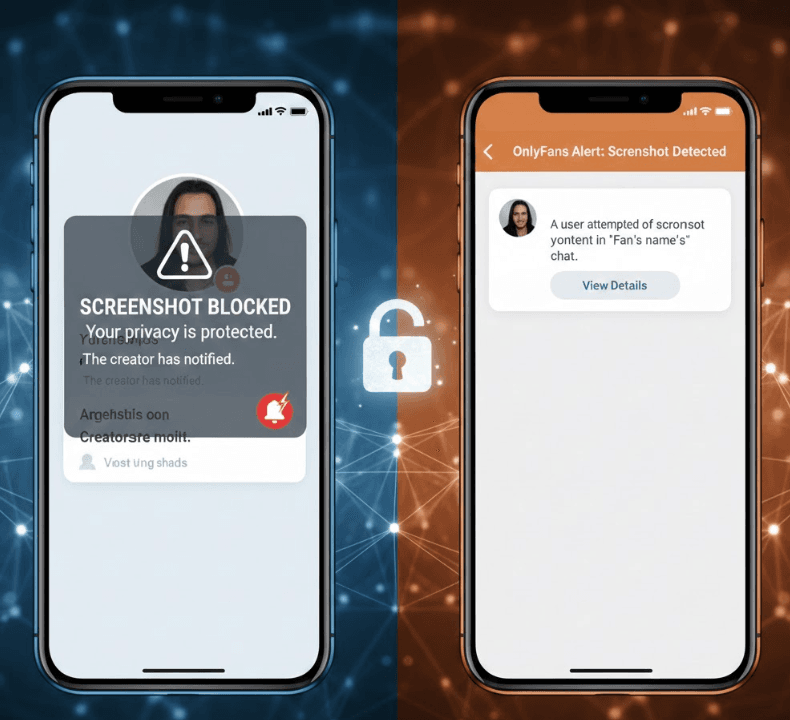
This is the piece most people are searching for. As of today, OnlyFans does not implement a cross-device screenshot detection feature and does not alert creators if you capture your screen. Some apps (like premium streaming clients) add DRM that can block or black out captures; OnlyFans functions more like a typical web-app and mobile web view, which cannot reliably control device-level behavior.
Does OnlyFans notify creators about screenshots?
No. There’s no system-wide notification for screenshots or screen recordings on OnlyFans. Even on iPhone’s native app-web view, Android browsers, or desktop browsers, creators don’t get alerts. You might see claims to the contrary on forums, but they’re either outdated or anecdotal. Practically, creators rely on watermarks and monitoring to detect leaks, not on notification events.
What OnlyFans Terms of Service say about copying
OnlyFans’ Terms make it clear: you don’t own the content you view. You’re buying a license to access it within the platform. Reproducing, distributing, or making derivative copies (including screenshots shared elsewhere) breaches the license and can infringe copyright. The platform watermarks content and supports DMCA takedowns to deter piracy. In short, “can” doesn’t equal “may.”
Device behaviors: iOS, Android, Windows, and macOS
- iOS and iPadOS: The OS allows screenshots and screen recordings unless an app uses DRM frameworks. OnlyFans content typically displays in a browser or web view, so captures are possible.
- Android: Vendors and browsers rarely block captures unless an app flags a secure window. OnlyFans content viewed in browsers is capturable.
- Windows/macOS: Desktop OSes generally can’t be forced by a website to prevent screenshots. Standard tools (Print Screen, Snipping Tool, macOS Screenshot) work within OS rules.
Regardless of OS, what you do with the capture determines whether you’re compliant or at risk.
Legal and ethical considerations you should know
Even if a screenshot is technically possible, usage may still be unlawful or against policy. Sharing a creator’s content without permission can trigger DMCA removal and legal claims.
In practice, the biggest exposure isn’t “taking the screenshot”—it’s how you use it. Uploading a creator’s images or videos (or still frames from video) to other platforms, private groups, or messaging apps can violate copyright. In the U.S., Title 17 and the DMCA enable swift takedowns and civil damages. In the EU and UK, copyright directives similarly protect creators, and GDPR adds privacy layers around personal data misuse.
Copyright ownership and licensing on OnlyFans
Creators own their content. Subscribers receive a limited, revocable license to view inside OnlyFans. That license does not include reproduction, sharing, or public display outside the platform. If you post a screenshot or a clip elsewhere without explicit permission, you’re likely breaching both copyright and the platform’s terms, exposing your account and your wallet to risk.
DMCA takedowns and enforcement
The DMCA allows rights holders to request removal of infringing copies from websites and hosting/CDN providers. OnlyFans adds visible watermarks to help trace leaks back to accounts. If a leak happens, creators or their agencies file takedowns with the site hosting the stolen media and with search engines. Repeat or willful infringers can face account termination and, in some cases, statutory damages.
Privacy, consent, and reputational risk
Beyond copyright, screenshots may capture private messages, names, faces, and transactional data. Sharing those images can violate privacy laws and harm reputations. If you’re in a regulated environment (education, healthcare, finance, public office), unauthorized sharing can cross employment and compliance lines. Ethically, consent and context matter just as much as the technical “can I.”
When is taking a screenshot acceptable on OnlyFans?
Taking a screenshot for legitimate, narrow purposes can be reasonable with care and consent. Keep captures private, minimize sensitive details, and follow the Terms and local laws.
While you should assume “don’t copy” as a default, there are edge cases that are generally acceptable if handled responsibly:
- Your own content: If you are the creator, screenshotting your dashboard, posts, or earnings for bookkeeping, support tickets, or coaching is legitimate. Still, blur personal data when sharing.
- Proof for support: Capturing an error message, a payment receipt, or a bug to send to OnlyFans Support is typically fine, especially if the screenshot stays within the support thread.
- With explicit permission: If a creator grants written permission (license) for a specific use—e.g., a testimonial, a portfolio snippet—keep the license terms documented and abide by any attribution or watermark requirements.
Best practices for consent and minimization
- Get it in writing: Ask for written consent in DMs or email. Clarify where and how you’ll use the image.
- Blur and crop: Hide usernames, payment info, and any private chat context. Crop to only what’s needed.
- Don’t reshare again: A one-time, narrow license isn’t blanket permission to repost across platforms.
- Keep audit trails: Save the permission message. It’s your proof of scope and timing if questions arise.
Safer alternatives to screenshots (that respect creators)
Choose options that keep content where it belongs and reduce copy risk and misuse. Alternatives also reduce your exposure to copyright, privacy, and account penalties.
- Ask the creator: If you need a reference image, request a licensed file or a watermarked preview. Many creators offer paid licensing for marketing or private use, with clear terms.
- Use links, not files: Save the post URL or message link to revisit inside OnlyFans instead of copying the media itself. Keeping access within the platform aligns with the license you purchased.
- Notes over images: If you’re a subscriber collecting ideas, keep text notes instead of captures. Record titles, concepts, or timestamps rather than the content itself.
- Receipts and statements: For accounting or proof-of-purchase, rely on official receipts, email confirmations, or bank statements rather than screenshots of creators’ media.
Requesting licensed media from creators
Creators increasingly operate like small media studios. If you need an image for a blog, a reaction video still, or a portfolio reference, ask for a license. Expect terms like scope (where you can use it), duration (how long), territory (regions), and attribution (credit). Licensed, watermarked assets protect you and the creator and keep relationships professional.
Using device tools without copying content
Organize with bookmarks, secure password managers (for URLs), or private notes apps. These methods preserve your ability to revisit content within OnlyFans while avoiding the legal risk that comes with storing or sharing media outside the platform.
Technical anti-piracy measures creators use
Platforms can’t stop all screenshots, so creators rely on layered deterrence. Watermarks, monitoring, and takedowns make leaks traceable, costly, and short-lived.
OnlyFans adds visible watermarking by default, but standout creators go further with a stack of techniques that raise the cost of piracy and speed up enforcement. These won’t make screenshots impossible, but they change the economics for leakers.
Visible and invisible watermarking on Onlyfans
- Visible markers: Names or handles placed near key content areas deter casual reposts and help viewers identify the source.
- Invisible fingerprints: Subtle variations (noise patterns, per-subscriber overlays, color shifts) can fingerprint batches of media. If a leak appears, the pattern narrow-casts the origin.
- Dynamic details: Including timestamped identifiers in stories or sets increases traceability across reposts and mirrors.
Tokenized delivery and rate limiting
Content should be delivered via signed URLs and session-bound tokens so files can’t be hotlinked. Limiting download attempts and refreshing tokens reduces automated scraping. While OnlyFans manages most delivery, creators can request platform features that strengthen link expiry and watermark placement to match their risk tolerance.
Reporting and takedown workflow
- Monitor the web: Use reverse image search and social listening to detect reposts quickly.
- File detailed DMCAs: Include infringing URLs, source proofs, and watermark evidence for hosts and CDNs.
- Follow up and escalate: If hosts stall, escalate to registrars or payment providers. Document everything for repeat infringement patterns.
Beware of OnlyFans downloader tools and plugins
Third-party downloaders often hide malware, credential theft, and privacy risks. They also advertise or enable copyright violations that can cost you accounts and money.
Sites and extensions promising one-click downloads or “screenshot-proof” capture typically operate in a legal gray zone and are a common source of spyware and phishing. Granting a browser extension broad permissions so it can “save everything” often hands attackers your cookies, session tokens, and even payment data.
Red flags to avoid
- Extensions demanding access to all sites and all data, not just the target tab
- Downloaders that ask for your OnlyFans credentials or 2FA codes
- Sites with typosquatted domains, fake trust seals, or no company identity
- Telegram or Discord bots promising “instant unlocks” for a fee
Safer cybersecurity habits
- Keep screenshots and personal media out of synced folders unless encrypted.
- Use a reputable password manager and unique, long passwords for OnlyFans and email.
- Enable 2FA with an authenticator app (not SMS) and review active sessions regularly.
- Don’t install “free” capture utilities from unknown developers. If it sounds too easy, it’s risky.
Practical scenarios: smart choices for subscribers and creators
Different goals call for different, compliant ways to keep records or references. Use the smallest necessary capture, keep it private, and prefer official records.
If you’re a subscriber
- Refund or dispute documentation: Prefer payment receipts and bank statements. If you must screenshot a support conversation, crop tightly to the relevant message. Don’t include creator media or usernames you don’t need.
- Inspiration and notes: Instead of capturing media, write down ideas or save the post link. If you really need an image, ask the creator for permission or a licensed copy.
- Device safety: Keep any sensitive screenshots in a locked album or encrypted vault. Avoid auto-backups to shared cloud folders where others might see them.
If you’re a creator
- Evidence collection: If you find leaks, take your own screenshots of the infringing posts (URLs visible), then file DMCA notices with the host and search engines. Retain timestamps and your original files for proof of ownership.
- Watermark strategy: Place your visible watermark away from easy crops, and consider subtle per-batch variations to fingerprint sets. Track which subscribers receive which batches when practical.
- Community education: Remind subscribers politely that sharing is not allowed and why it matters. Many leaks come from ignorance, not malice; a clear onboarding message reduces problems.
If you’re an agency or brand partner
- Compliance protocols: Maintain a written policy for content handling, storage, and deletion. Train staff not to export or share creator media outside approved channels. Log who accessed what and when.
- Legal readiness: Have a DMCA template and a list of contact points for major hosts, CDNs, and social networks. Faster first contact equals faster removal and less spread.
- Data minimization: Keep nonessential captures out of CRM and tickets. Where possible, store references as internal links rather than attachments.
Ethical framing: respect the creator, respect yourself
Creators invest time, money, and safety into their work; respect sustains the ecosystem.When in doubt, ask for permission, keep it private, or choose not to capture at all.
If you value a creator’s output enough to subscribe, protecting their rights aligns with your interests. Piracy and unauthorized sharing erode revenue, invite aggressive enforcement, and can shrink the community you enjoy. Respect and consent keep platforms healthy—and keep your accounts safe.
FAQs: can you screenshot OnlyFans and related questions
Quick, factual answers to common questions from search and community threads. Use these for clarity, not as a substitute for the platform’s Terms or local law.
Does OnlyFans notify creators when you screenshot or screen record?
No. OnlyFans does not send screenshot or screen recording notifications to creators. That doesn’t make redistribution permissible, copyright and the Terms still apply.
Is it illegal to screenshot OnlyFans content?
Taking a screenshot isn’t inherently illegal, but sharing or republishing it without permission can violate copyright and Terms of Service, leading to takedowns, bans, and potential damages.
Can OnlyFans detect if I screenshot?
There’s no dependable platform-wide detection for screenshots across all devices. Enforcement typically occurs when leaked content surfaces elsewhere and is traced back via watermarks or patterns.
Can creators prevent screenshots on OnlyFans?
Not fully. Device-level controls are limited. Creators use watermarks, fingerprinting, and takedowns to deter and respond to leaks rather than blocking screenshots outright.
Does OnlyFans allow me to save content for offline viewing?
OnlyFans licenses access to view within its platform. Saving or downloading content for offline use is generally not permitted unless the creator explicitly provides a licensed file.
Will I get banned for screenshotting on OnlyFans?
Screenshots used privately for support or personal records rarely cause issues. Sharing or posting screenshots of creator content elsewhere can trigger account actions, DMCA takedowns, and bans.
What should I do if I find leaked OnlyFans content?
Don’t share it. If it’s your content, document the URLs with screenshots, then file DMCA notices with the host and report the infringement to OnlyFans. Consider contacting search engines for deindexing.
Conclusion: Can on OnlyFans screenshots
Technically, you can screenshot OnlyFans on most devices, and creators aren’t notified. Legally and ethically, the right move is to avoid copying creator content unless you have explicit permission, and to keep any necessary captures private and minimal. Choose links, receipts, and licensed files over screenshots. Respecting creators’ rights keeps your account safe and sustains the community you value.